Where to start
3 min read2 articlesThis page is the hub of the whole guide. If you have just started getting to know Pulse, I strongly recommend going through all the pages without following the hyperlinks.
If you already know what Pulse is — feel free to use this page to quickly find the information you need!
Getting started in 5 simple steps:
1. Register an account + welcome bonus (strictly via this link) ❤️
*Yes, although the table has a free version that lets anyone make their first trade cycle and earn, the table also has paid subscriptions that give a strong boost to your work and earnings — we will cover them in detail later.
With the welcome bonus you get a discount on your first subscription 🤫🙊
2. Set up the table for your trade scheme.
A trade scheme is a combination of sites where you buy skins in order to resell them at a higher price on another site.
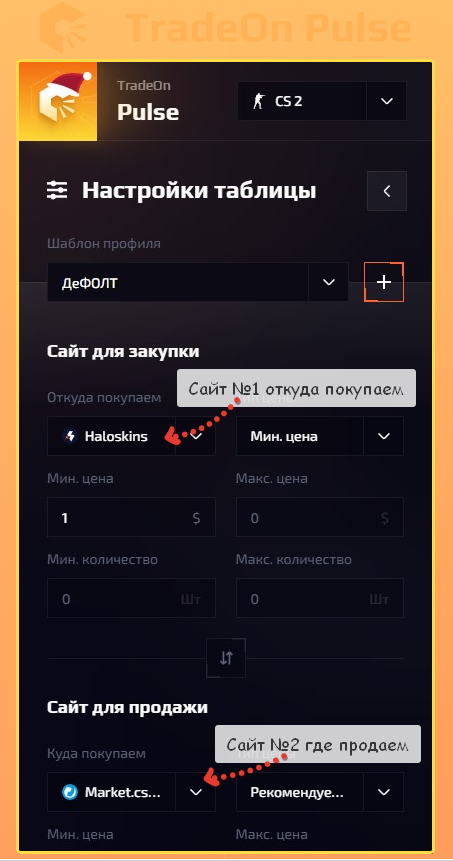
On every site the same skin costs a different amount. This is due to many factors that we will not go into right now.
We described it in detail IN THIS ARTICLE
3. Set up item filters.
So that you do not see items you cannot afford, filter out items with an unsuitable hold (trade lock of 1–8 days) or low-liquidity skins that would take a long time to sell.
How to do it in 1 minute — we explain HERE.
But if this is your first time working with Pulse, I recommend simply continuing through this guide.
4. Choose the price type for item selection.
Price type is the parsing method (collecting prices from a site) for the cost or valuation of an item on a site.
In simple terms — I want to see the minimum purchase prices on the first site (where I will buy items). For that I choose the price type "min. price" for the first site.
And in the second case, I want to see the item's valuation ON THE SECOND SITE (where I will sell) — not the minimum price anymore, but the price of the best buy order (buy order or instant sell). In this case I choose the price type "Buy order" for the second site.
Don't worry, it may look complicated at first glance, but HERE you will understand everything in a couple of minutes!
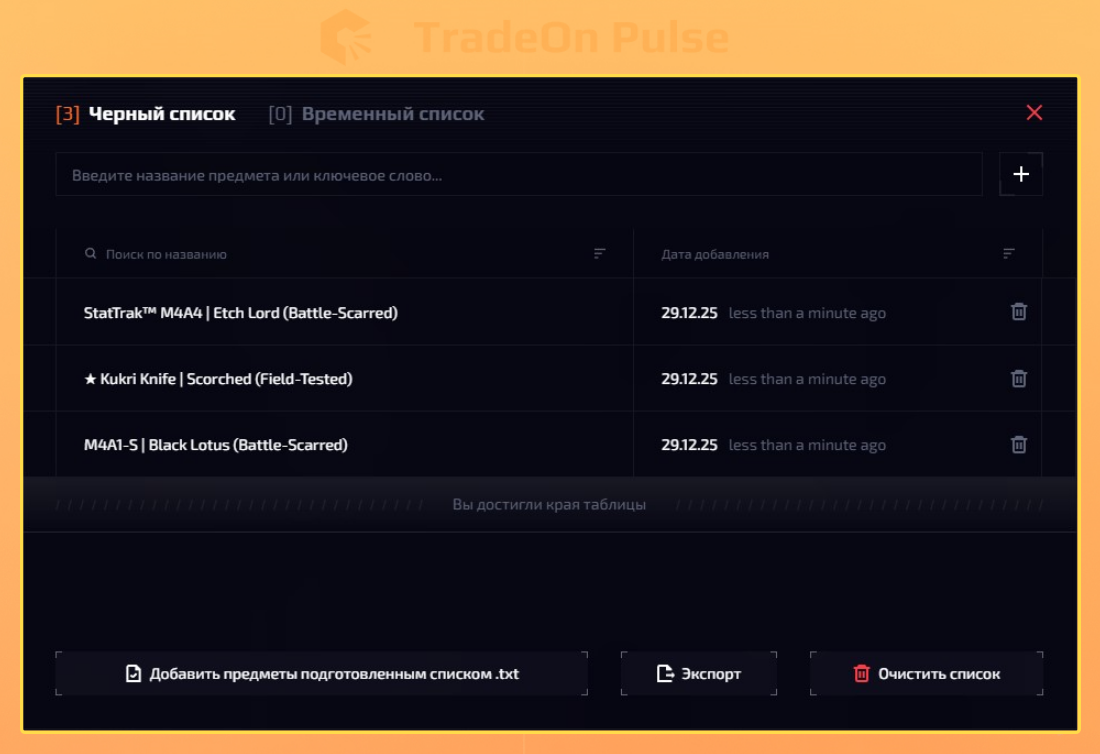
5. Update the BLACKLIST of items so you don't see anything unnecessary.
How to do it and how the Blacklist differs from the Temporary list — WE EXPLAIN HERE.
But still, I recommend continuing through the guide so you get all the information in a structured way.
Now let's touch on choosing a subscription. This is an important part, because the Pulse plans matter and affect your profit ↓