Left block "Saved Lists"
1 min read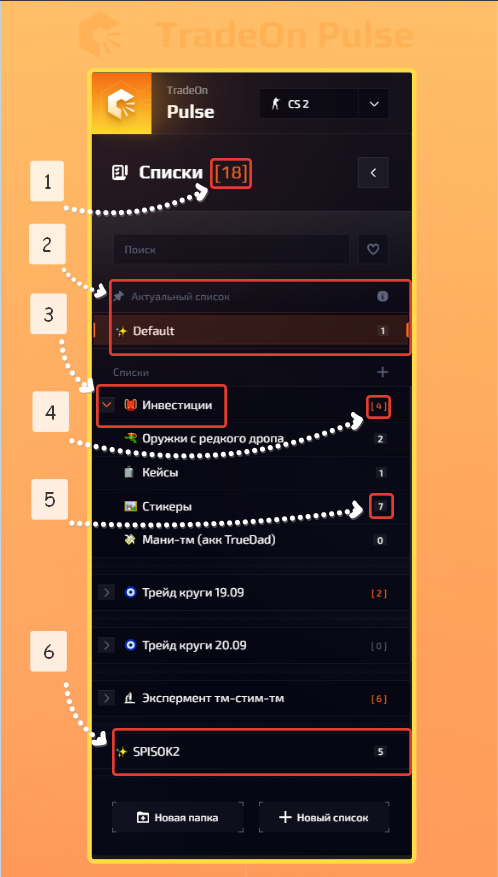
- Total number of lists, including the current one.
- Current list - a list that has not been saved yet. All items from the "Table" are added to this list. Saved lists can be made current for adding new items.
- Folder with saved lists.
Saved list - a list that was saved on the lists page. This list cannot be edited. To change such a list, make it current. - Total number of saved lists in the folder.
- Total number of items (skins) in the list.
- Saved list outside a folder.
For every saved list or folder you can change its position by dragging the list/folder to the desired place.
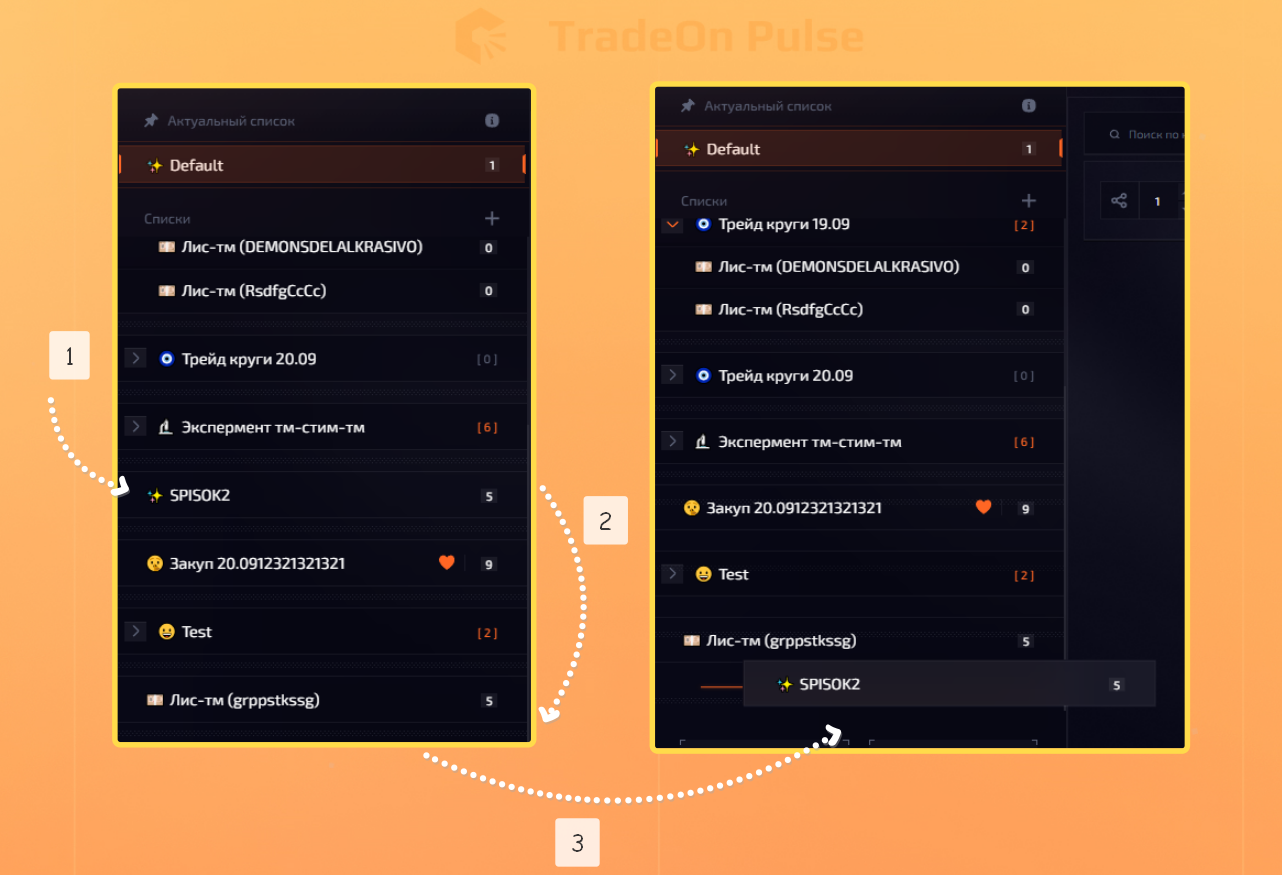
- Select the list you want to move and hold the left mouse button (step 1).
- Drag the list to the desired place while holding the left mouse button (step 2).
- Visual marker (hint) for the exact position of the list (step 3).
The same way you can put a list into any folder.
Additional options:
1.Edit a folder/list using the menu↓
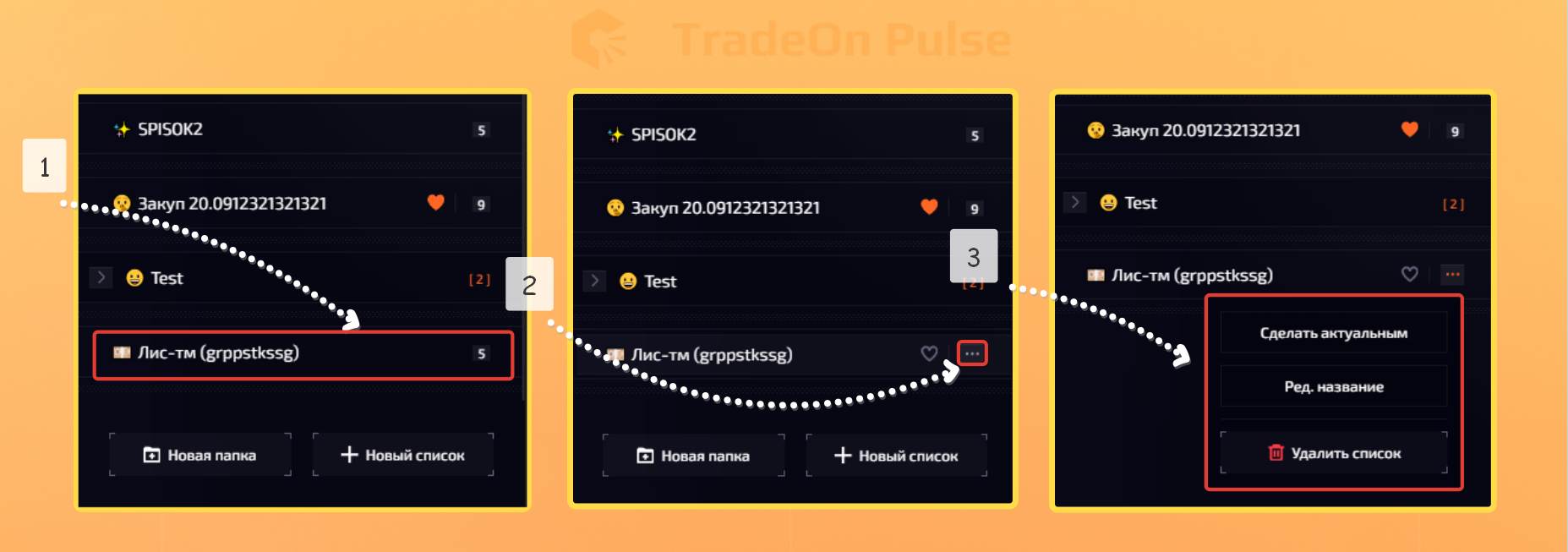
- Hover over any area of the folder/list (step 1).
- An icon appears; clicking it opens an extra menu (step 2).
- You get the options: Make the list current; edit the list/folder name; delete the list/folder.
2.Add the lists you need to favorites
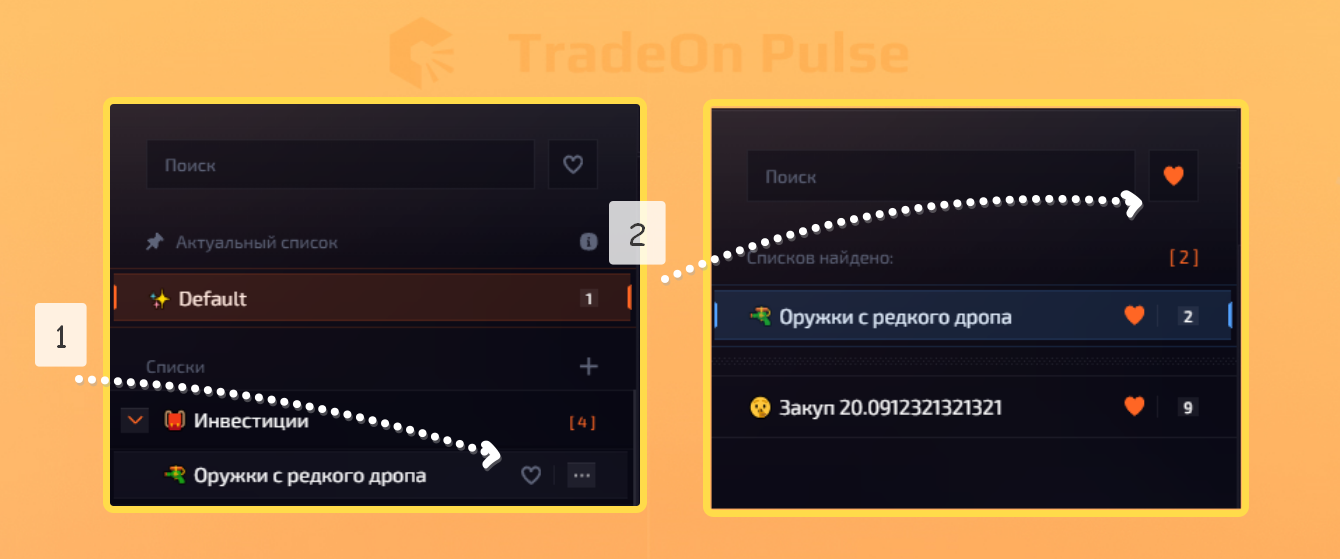
- Click the like sign on the list you need (step 1).
- All favorite lists can be filtered with the button to the right of the search (step 2)
3.Create an unlimited number of lists and folders for your investments and trade cycles.
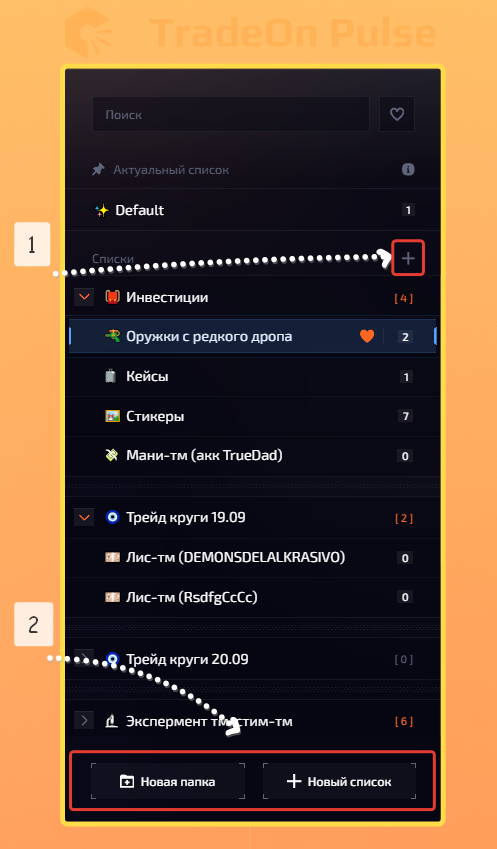
- List creation button.
- Folder/list creation buttons.