Right block "Items table"
1 min read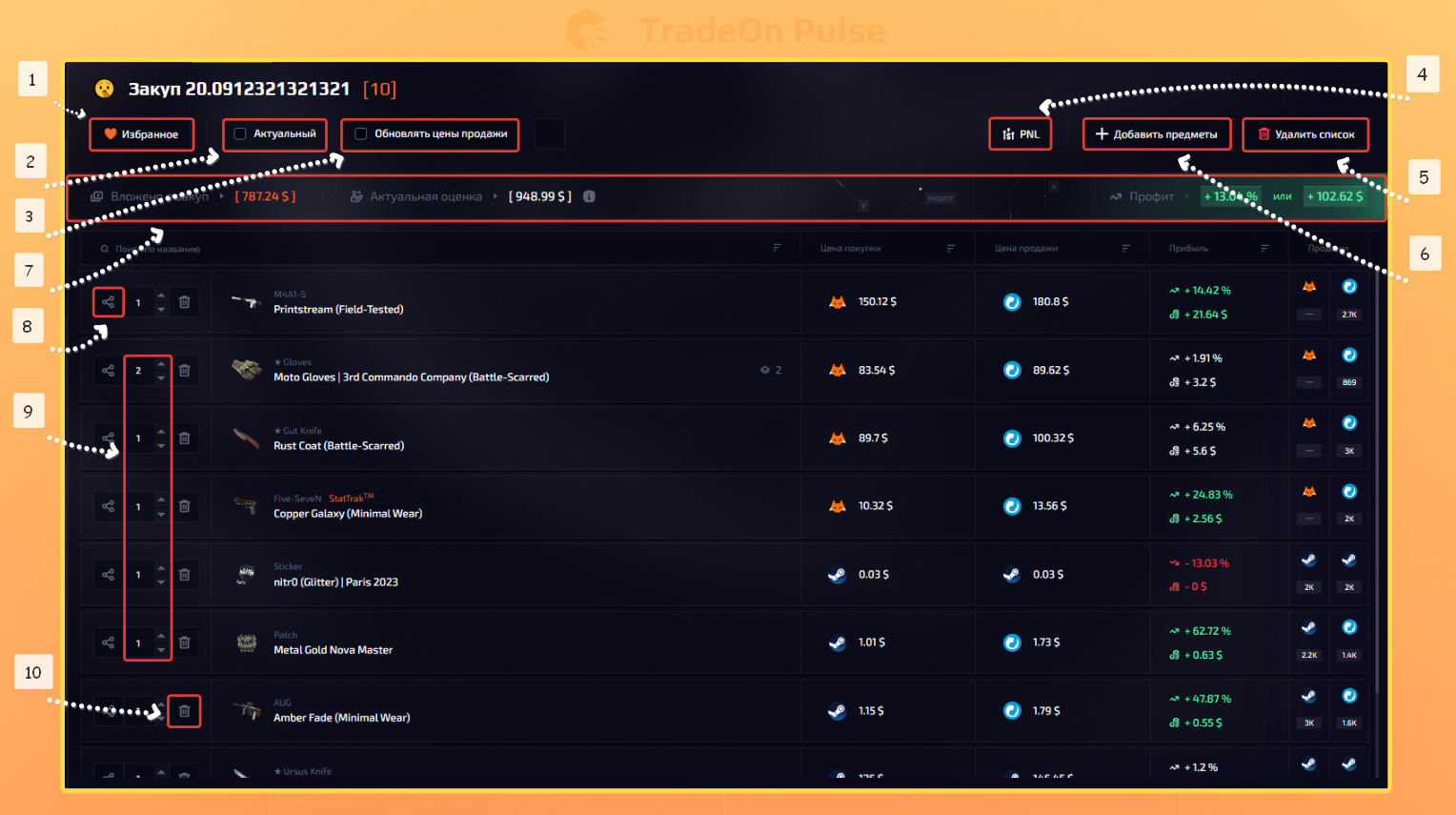
A saved list has a number of functions:
- Add the saved list to favorites.
- Make the list current.
- Refresh sale prices. Prices are refreshed in real time; the sale price is updated to the minimum price on the site at the current moment.
- Show the list's PNL. Gives all the detailed information, which you can share!
- Delete the list. The list is deleted after your confirmation.
- Add an item. A quick way to add an item without making the list current.
- Detailed statistics of your investment portfolio/trade cycle at the current moment.
- Item PNL. Gives all the detailed information, which you can share!
- The ability to change the number of items in the list, the same as on the "Table" page.
- Delete an item.
Additional options:
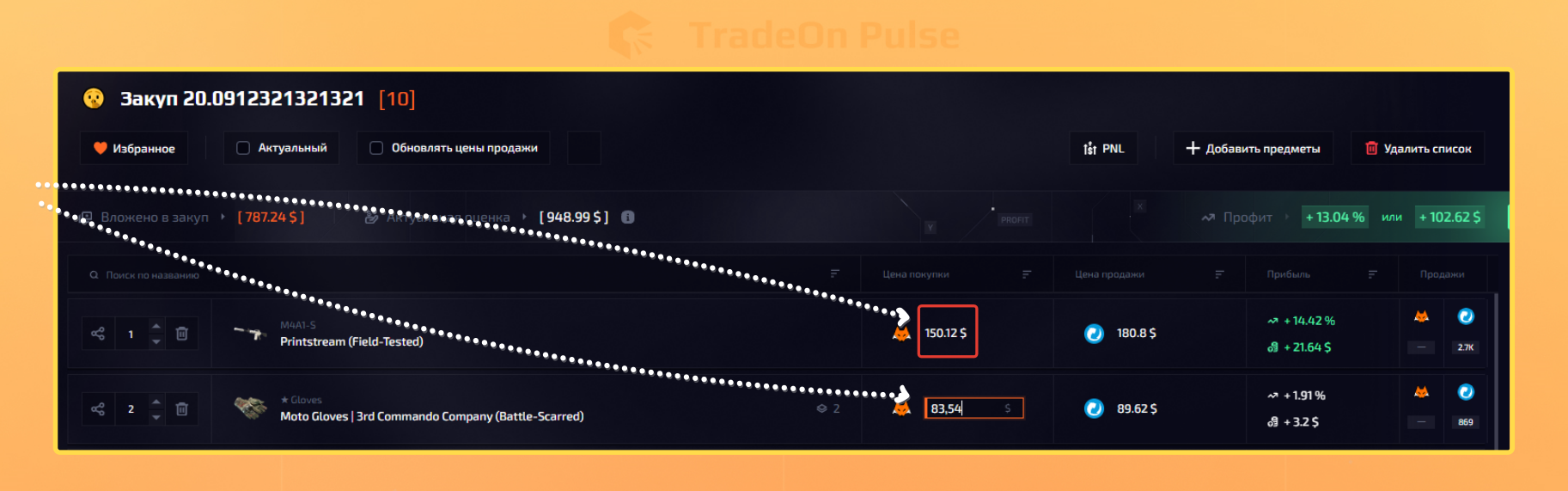
1.Click an item's price and change the purchase price. All the information is recalculated using the current values.
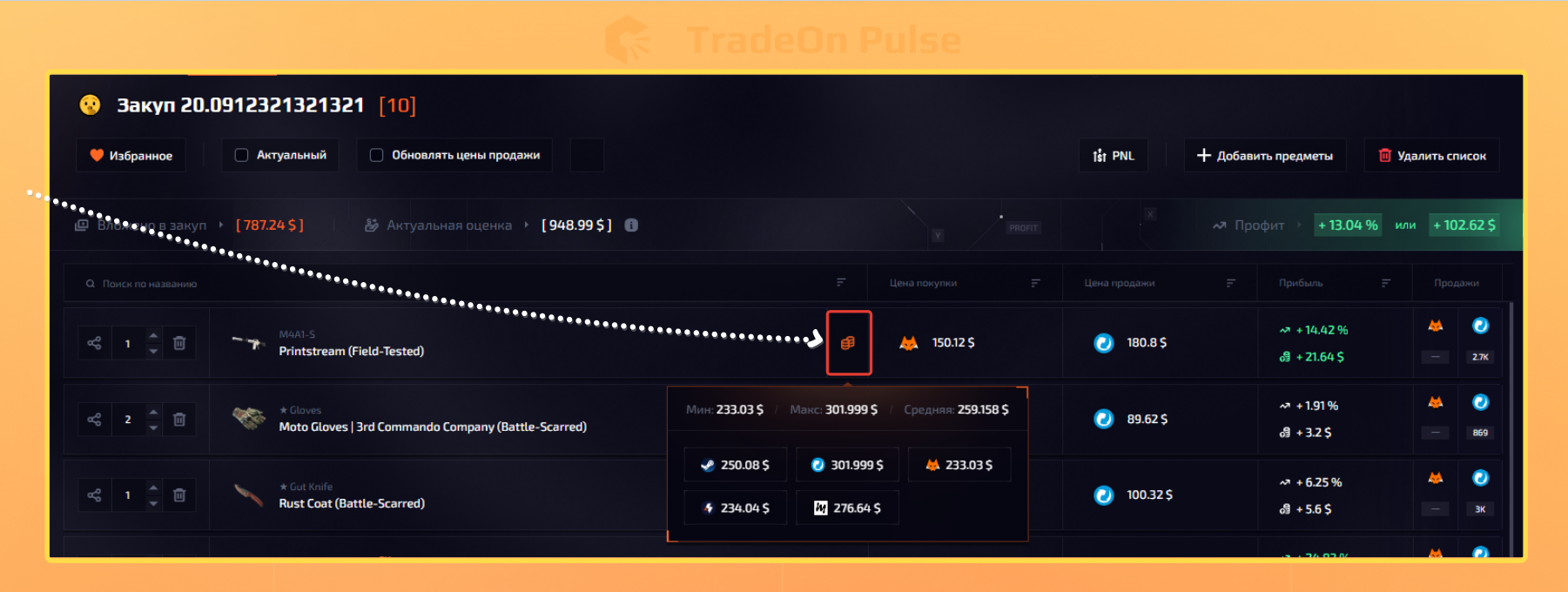
2.Open the price database for the item. Prices are taken from all markets where this item is present. The valuation (cost) is based on the minimum price at the current moment.