Schemes
1 min read1 article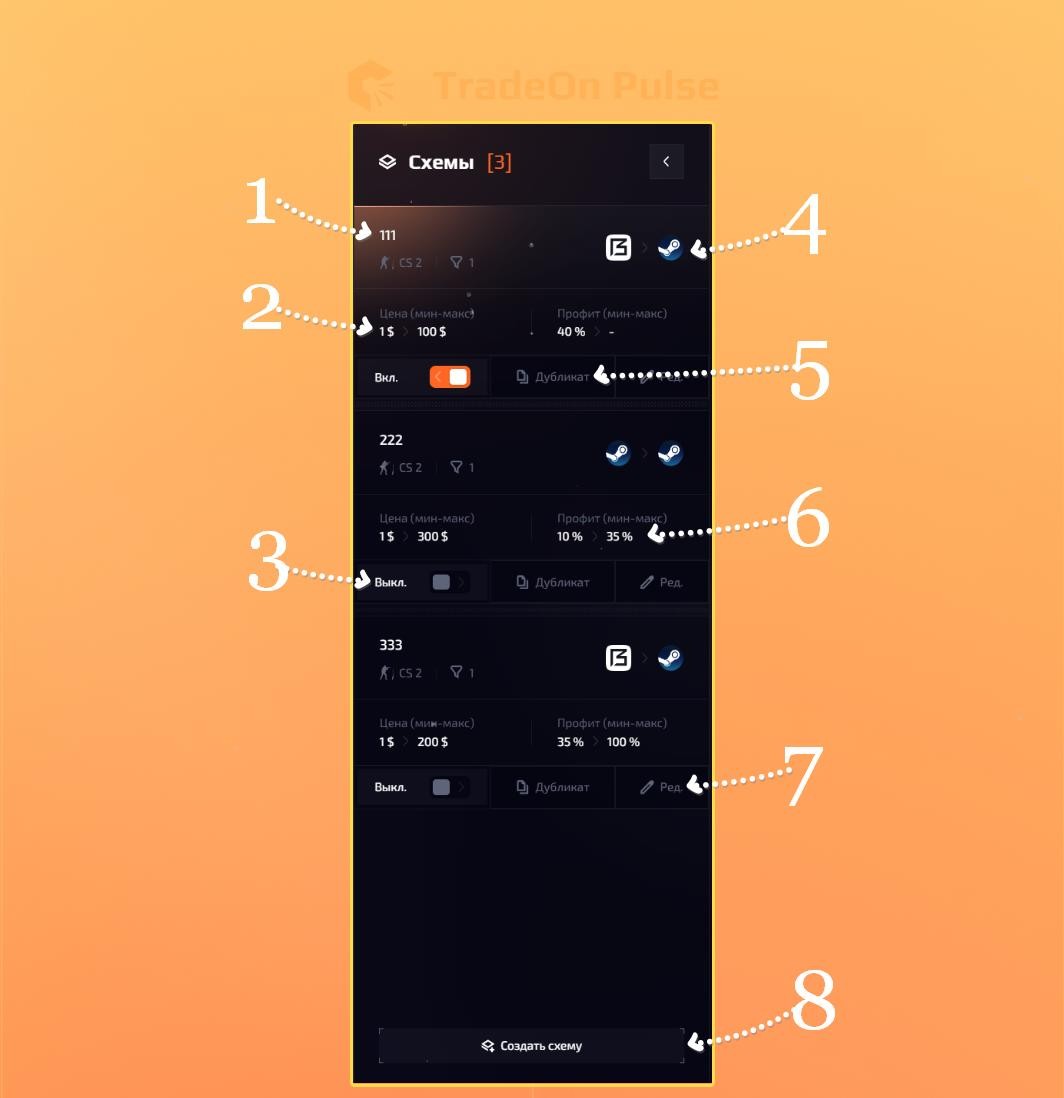
Schemes
This whole block lets you work with your schemes.
- Scheme name - set when creating the scheme and helps you understand more precisely where each scheme is.
- Price range - shows the range in which items are searched for the given scheme.
- On/Off - lets you enable/disable your scheme.
- Sites - shows which sites the item search is running on.
- Duplicate - clicking the button creates a duplicate of the scheme.
- Profit range - shows the minimum and maximum profit % used for searching items.
- Edit - clicking the button lets you fully edit your scheme.
- Create scheme - clicking opens the scheme creation window. Read how to create schemes here.