Sales filters
1 min readSales filters - let you sort items by the number of sales on any of the available selling sites over the suggested period of time.
To open the sales filter, click "Sales filters" -> choose a time period-> enable the checkbox on the site where you want to set the filter -> enter the number of sales.
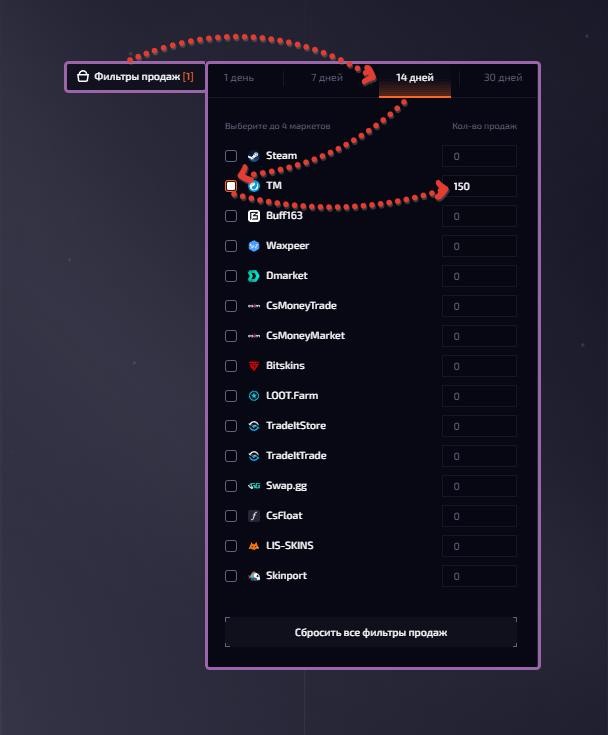
To reset all filters, click "Reset all filters"
The selected sites affect the "number of sales" column: the first 2 sites are the ones you chose in Left block - scheme settings, the third site is the one you chose in the sales filters.